Broadband Slower Than Expected? Check Router and Cables
Broadband Slower Than Expected? Check Router and Cables
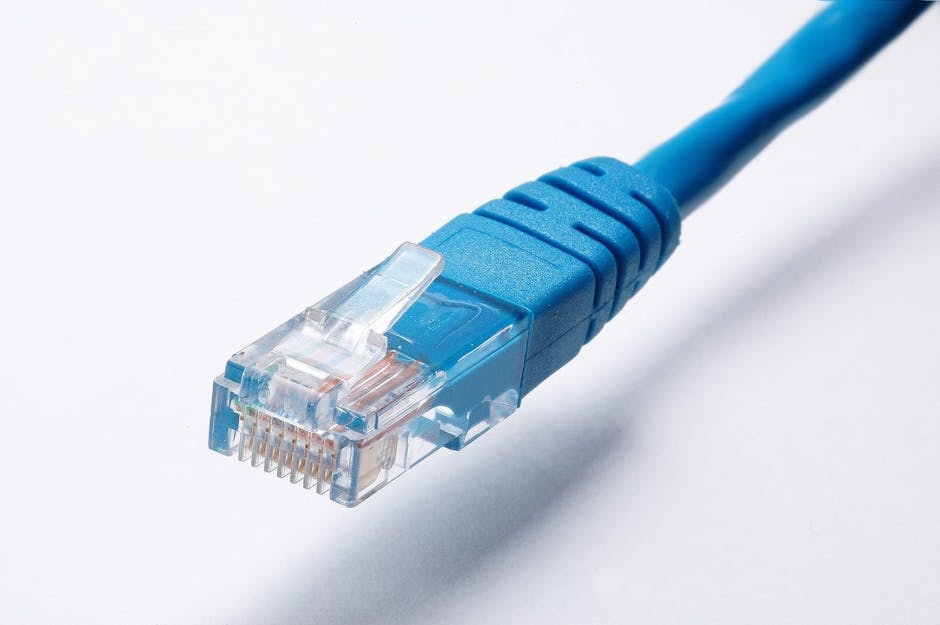
Photo by Pixabay on Pexels
Is your broadband slower than expected? Connect a computer to the router with an Ethernet cable and run a speed test. Next, test over Wi-Fi near the router and again where you have trouble. Write down the time and result of each test.
This guide walks through the checks worth doing first, in the order that saves the most time. None of them require special tools, and most take only a few minutes.
Broadband slower than expected on Ethernet and Wi-Fi?
Broadband is sold with an advertised speed. Check your provider’s separate speed estimate for your address and any minimum guaranteed download speed in your contract. Compare that information with repeated wired tests. Ofcom explains broadband speed estimates and guarantees.
That gap explains a lot of frustration. Two households on identical packages can have very different experiences because of where the router sits, how old it is, what the walls are made of and how many people are streaming at once. Knowing this stops you chasing a number that was never realistic in the first place.
Test it properly before you touch anything
Start by asking how you are checking speeds. A quick test on a phone while sitting in the garden is not the same as a wired test next to the router, and the two tell you completely different things. Use your provider’s test or a reputable speed checker. Pause large downloads while you test and record the download and upload speeds, time of day and connection type. Ofcom’s broadband and Wi-Fi troubleshooting guide explains when to report a fault.
-
Run the test more than once, at different times of day, including a busy evening.
-
Test on more than one device so you can see whether the problem follows one gadget or affects everything.
-
Test over Wi-Fi and then over a cable to the same router, from the same spot if possible.
-
Note the make and model of your router, and who supplies your broadband.
-
Write down the numbers rather than relying on memory, because providers will ask.
The wired test matters most. It removes Wi-Fi from the equation entirely and shows what is arriving at the router. If wired speeds are healthy and wireless speeds are poor, your broadband is probably fine and the wireless side of things needs attention.
What the pattern of results tells you
A single slow number is not much use on its own. The pattern across devices, rooms and times can help narrow down the cause.
-
Fast over Ethernet, slow over Wi-Fi. Test next to the router. If the result improves, check router placement, coverage or wireless settings.
-
Slow over Ethernet and Wi-Fi on several devices. Record your results and ask your provider to check for a line fault, congestion or a router issue.
-
Fast in one room, slow in another. Walls, floors and distance can weaken the signal. Reposition the router or see whether you need better coverage.
-
Fast during the day, slow in the evening. Compare devices and times. Check whether streaming or downloads at home coincide with the slowdown.
-
Slow on only one device. Restart it, check for updates and compare it with another device in the same spot.
The router itself may be the bottleneck
Routers do not last forever, and older ones simply cannot keep pace with modern broadband speeds. If your router came with a package several years ago and you have since upgraded, you may be paying for speed the hardware cannot deliver. Experts have warned that ageing routers are a common hidden cause of disappointing speeds for exactly this reason.
There is a familiar story on forums of people upgrading from a 500 Mbps package to 1 Gbps and finding the service slower rather than faster, or of speeds halving overnight from around 79 to 80 Mbps down to the low thirties with streaming services failing. Sometimes that is the line. Sometimes it is a router that has been left in place through several upgrades, or one that is on its way out.
Check the make and model printed on the back or underneath. If it is elderly, borrowed from a previous provider or supplied years ago, ask your provider whether it is still suited to your package before you spend money on anything else.
Router position, walls and distance
A few things affect your Wi-Fi before it ever reaches the street. Distance from the router is the obvious one: the further away you are, the weaker the signal becomes. Walls and floors get in the way too, and a router tucked into a cupboard, behind a television or on the floor is working harder than it needs to.
Try a simple experiment. Run a speed test standing next to the router, then repeat it in the room where things feel slow. If the second test collapses, your broadband is probably fine and coverage is the issue. Moving the router to a more central, open position often does more than any settings change.
Cabling and physical connections worth checking
Cabling is boring and easy to ignore, which is why it is so often the answer. A loose plug, a crushed cable behind a desk or a damaged connector can knock speeds down, and the fault may be intermittent, which makes it harder to spot.
-
Check the power lead and the cable running from the wall socket to the router are firmly seated at both ends.
-
Follow any long cable runs for kinks, trapped sections under furniture or nibbled casing.
-
Look at the connectors themselves for bent clips or exposed wires.
-
Swap a suspect cable for a known good one and re-test, especially on a desktop or a smart TV.
-
Reduce unnecessary joints where you can, so the connection takes as direct a path as possible.
The same applies to the cable feeding a desktop PC, a games console or a television. If a wired device is slow while the Wi-Fi is quick, the cable, the port or the device itself is the place to look, not your broadband package.
Time of day, congestion and too many devices
Internet that is slow at night, or that buffers and changes speed at predictable times, points towards congestion rather than a permanent fault. Compare devices, Wi-Fi and Ethernet at those moments to work out whether you are dealing with congestion, a weak signal or a genuine broadband fault. A connection that is solid at midday and dreadful at eight in the evening is telling you something quite specific.
Count what is using the connection as well. Several people streaming, a large console update downloading and a video call running at once will all compete for the same capacity, and each device feels slower as a result.
Leave the router switched on
Switching off your router overnight is a popular habit and a false economy. Turning it off can affect automatic software updates and optimisations, which in turn can impact overall performance. If you want to reboot it to clear a glitch, do that deliberately, then leave it running.
What to tell your provider
If wired and wireless tests are both poor across several devices, the case for a line fault gets much stronger. Ring your provider with your written results, the times they were taken, whether the test was wired or wireless, your router's make and model, and what you have already tried. Ask them to check the line from their end rather than simply reading the package speed back to you.
Ask them to confirm what speed your line realistically supports, too. There is little point chasing a figure the connection cannot reach, and a sensible conversation about the package often follows.
When to bring in someone local
If you have worked through the tests and the cause is still unclear, a local engineer can save you a lot of evenings. FixPoint IT Support covers Basildon and the surrounding Essex area, and home Wi-Fi and network problems are everyday work: dead zones, dropouts, router and mesh setup, cabling and printer connections. Prices are agreed upfront and the work runs on a no fix, no fee basis, so you know where you stand before anything begins.
If the wired result is consistently low, read Ofcom’s guidance on advertised and expected speeds before contacting your broadband provider. If only one room is slow, compare mesh Wi-Fi and range extenders.
Frequently Asked Questions
Why is my internet slow when I pay for fast broadband?
Advertised speeds are "up to" figures. Real-world performance depends on your router hardware, congestion on the network at busy times, and how far you are from the router. Slow results often come from equipment inside the home rather than the line, which is why a wired test is the first thing to run.
Does a new router make broadband faster?
Not automatically, but an ageing router can hold back a modern package. If the hardware cannot keep pace with the speed you are paying for, replacing it may help. Check with your provider first, because they may supply an updated unit or advise on what suits your line.
Why is Wi-Fi fast next to the router but slow in other rooms?
Distance weakens the signal, and walls and floors block it further. If a test beside the router is healthy and the same test across the house is poor, coverage is your problem rather than the broadband itself. Moving the router to a central, open spot is the simplest fix to try first.
Can a damaged cable really slow my connection?
Yes. A loose plug, a crushed cable or a bent connector can reduce speeds or cause dropouts, and the fault may come and go. Swap the suspect cable for a known good one and test again. If the wired device speeds up, you have found the culprit without touching your package.
Should I switch my router off at night?
It is better to leave it running. Switching it off can affect automatic software updates and optimisations, which in turn can impact overall performance. Reboot it occasionally if something misbehaves, but a nightly switch-off can do more harm than good.