Laptop repair
Cracked Laptop Screen Repair Basildon: Fix, Replace or Buy New?
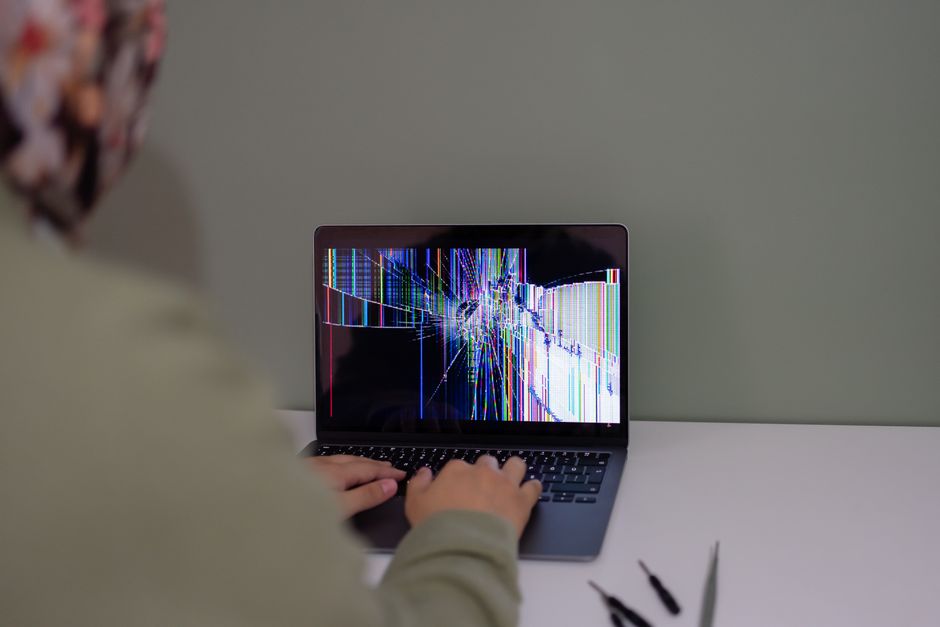
A cracked laptop screen can make an otherwise useful computer difficult to use. If the laptop still starts and the rest of the machine works, replacing the damaged display may get it back into service without buying another laptop. With cracked laptop screen repair in Basildon, the real decision is whether you pay to have the screen fixed, swap the laptop for another one, or put the money towards something new. That usually comes down to three things: what the fault actually is, what condition the rest of the machine is in, and what you are quoted before any chargeable work begins.
What a damaged laptop screen can look like
Cracked glass is the obvious version, but it is not the only one. Laptop screens that have taken a knock or been pressed too hard often show up as flickering, a dim image, dark patches, coloured lines, or a completely blank panel that still lights up faintly when the machine is switched on.
Those symptoms matter because they do not all point to the same thing. A visible crack is physical damage, and a damaged display panel normally needs replacing. Flickering, lines, dimness or a blank screen can also involve a display cable, graphics hardware or software. The cause needs checking before ordering a new panel.
Is the screen really the problem?
Before you spend anything, it helps to know whether the fault sits in the display or somewhere else in the laptop. A quick check costs nothing and takes a few minutes.
- Plug the laptop into a compatible monitor or television with the correct cable, and select the correct input on the external display.
- If the external screen shows a clean, stable picture while the laptop display is faulty, that points towards the built-in display or its connection. It does not prove that the panel alone is responsible.
- If the same fault appears on both displays, another cause may be involved. If neither shows a picture, a startup problem or display settings may also need checking.
This is a useful clue, rather than a complete diagnosis. HP’s damaged-screen guidance explains that display lines can also be caused by graphics faults or a loose internal cable. Tell the repairer what happened on both screens so they can investigate further.
What a laptop screen replacement involves
A physically cracked display needs a hardware repair. The replacement must match your laptop’s exact model and display specification: size, resolution, connectors, mounting points and touch capability can differ even within the same model range.
- The correct panel is sourced for your exact model.
- The display is accessed using the appropriate procedure for that model.
- The old panel is disconnected and the replacement fitted.
- The screen is tested before the laptop is handed back.
The work varies considerably between models. Some laptops allow the panel to be replaced separately; others use a bonded touch display or need a larger display assembly. Part availability, condition and the work involved should all be confirmed before you agree to a repair.
When repairing the screen is the sensible call
If the screen is the only fault, repairing it can be good value compared with replacing an otherwise suitable laptop. Signs that repair is the right answer include:
- The laptop starts, runs and holds a charge without problems.
- The keyboard, trackpad, ports and hinges all work.
- It still runs the software and apps you actually use.
- You like the machine and the size suits you.
- The quoted repair is clearly less than a like-for-like replacement.
There is also a practical point in favour of repair. A screen replacement normally leaves your storage drive, software and files in place, so you may avoid the setup and file transfer involved in changing laptops. Back up important files before handing the machine over whenever you can.
When replacing the laptop or buying new makes more sense
Check the condition of the rest of the laptop as well as the screen. If the laptop was already slow, noisy, struggling to hold a charge, or limping along with a failing hinge, a new panel fixes one problem and leaves you with the others. Compare the total cost of the recommended work with a replacement that meets your needs.
Option | Usually the better choice when | Worth checking first |
|---|---|---|
Repair the screen | The screen is the only fault and the rest of the laptop works well | Whether the panel is available for your exact model, and the total agreed price |
Replace the laptop | The machine is old, already slow, or has more than one fault | Whether the replacement is genuinely better, not just different |
Buy new | You need more performance, longer battery life or a warranty | Total cost including setup, file transfer and any software |
Age alone does not decide the answer. A laptop that still meets your needs and has only a damaged screen may be worth fixing. A machine with a damaged display, poor battery life and broken hinges needs a wider cost comparison. Check whether its operating system and the software you use still receive the support you need.
What it costs, and what to confirm before you commit
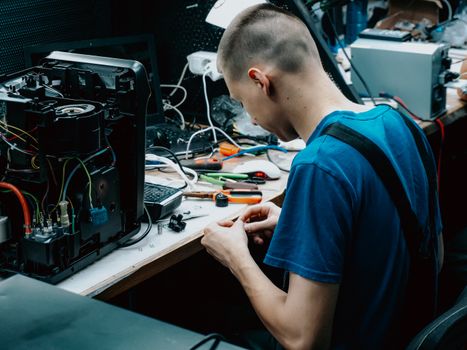
A useful screen replacement quote needs your exact laptop model and details of the damage. The cost depends on the display specification, whether a panel or full assembly is needed, availability and the fitting work. Ask for the total including the part, labour and any other charges, along with the expected turnaround and repair warranty.
What you can and should insist on is transparency. FixPoint IT Support works on a no fix, no fee basis with the price agreed upfront before any chargeable work starts, and computer repairs start from £45. The £45 figure is the starting price for general computer repairs, not a fixed price for a replacement screen. Your screen repair needs a separate quote based on the model and parts required. Ask what happens if inspection finds additional damage before authorising further work.
Getting a cracked laptop screen repaired in Basildon
For laptop repair in Basildon, start with your model number, a photo of the damage and a description of what still works. Mention any impact, liquid spill or damage to the hinges so the assessment covers more than the display.
FixPoint IT Support is an independently owned local business covering Basildon and the surrounding Essex area, helping home users and small businesses with laptop and desktop faults. Screen faults sit alongside the sort of work the business already handles: charging and battery problems, Windows faults, overheating, performance issues, SSD and memory upgrades, virus removal, data recovery and backup setup.
You can call 07360 140446 or send a message on WhatsApp with your laptop model and a photo of the damage. Those details give us a starting point; inspection may be needed before we can confirm the fault and final price.

Protect your data while you decide
If the laptop starts and can be used safely, back up important files before the repair. An external monitor or television may help you access them. Copy them to an external drive or cloud storage and check that the copies open successfully. Avoid pressing on the damaged display or handling exposed broken glass.
Once the machine is working again, a proper backup routine is worth setting up so the next accident is an inconvenience rather than a disaster. FixPoint offers data recovery and backup setup as part of its home computer repair work, which is a sensible add-on when a machine is already on the bench.
Frequently Asked Questions
How much does a laptop screen repair cost in Basildon?
The price depends on your exact laptop model, display specification, parts and fitting work. FixPoint’s general computer repairs start from £45, but that is not a fixed screen replacement price. We agree the cost before chargeable work begins, and no fix, no fee applies to repairs.
Can a cracked laptop screen be repaired, or does it need replacing?
A physically cracked display panel normally needs replacing with a compatible part. Some models need a complete display assembly. Flickering, dimness or a blank screen can have other causes, so those symptoms need diagnosis before deciding whether a replacement is needed.
Is it worth repairing a cracked laptop screen?
It can be worthwhile if the rest of the laptop works well and still meets your needs. Compare the full repair quote with a suitable replacement, taking account of battery condition, hinges, performance and software support.
Can I keep using a laptop with a cracked screen?
If the laptop otherwise works and there is no damage that makes it unsafe to use, a compatible external monitor may let you work and back up files while you arrange repair. Avoid pressure on the screen and contact with exposed glass. Further display damage can develop over time.
Do I have to take the laptop somewhere for a screen replacement?
The arrangement depends on the model, parts and testing needed. FixPoint provides home and workshop support across Basildon and nearby Essex; hardware repairs may be better handled in the workshop. Send your model and a photo on WhatsApp, or call 07360 140446, and we will discuss the suitable next step.